
Yes, If you would like Members to be able to change their RSVP status until the deadline, you can turn this feature on. An Admin can turn it on by following these steps.
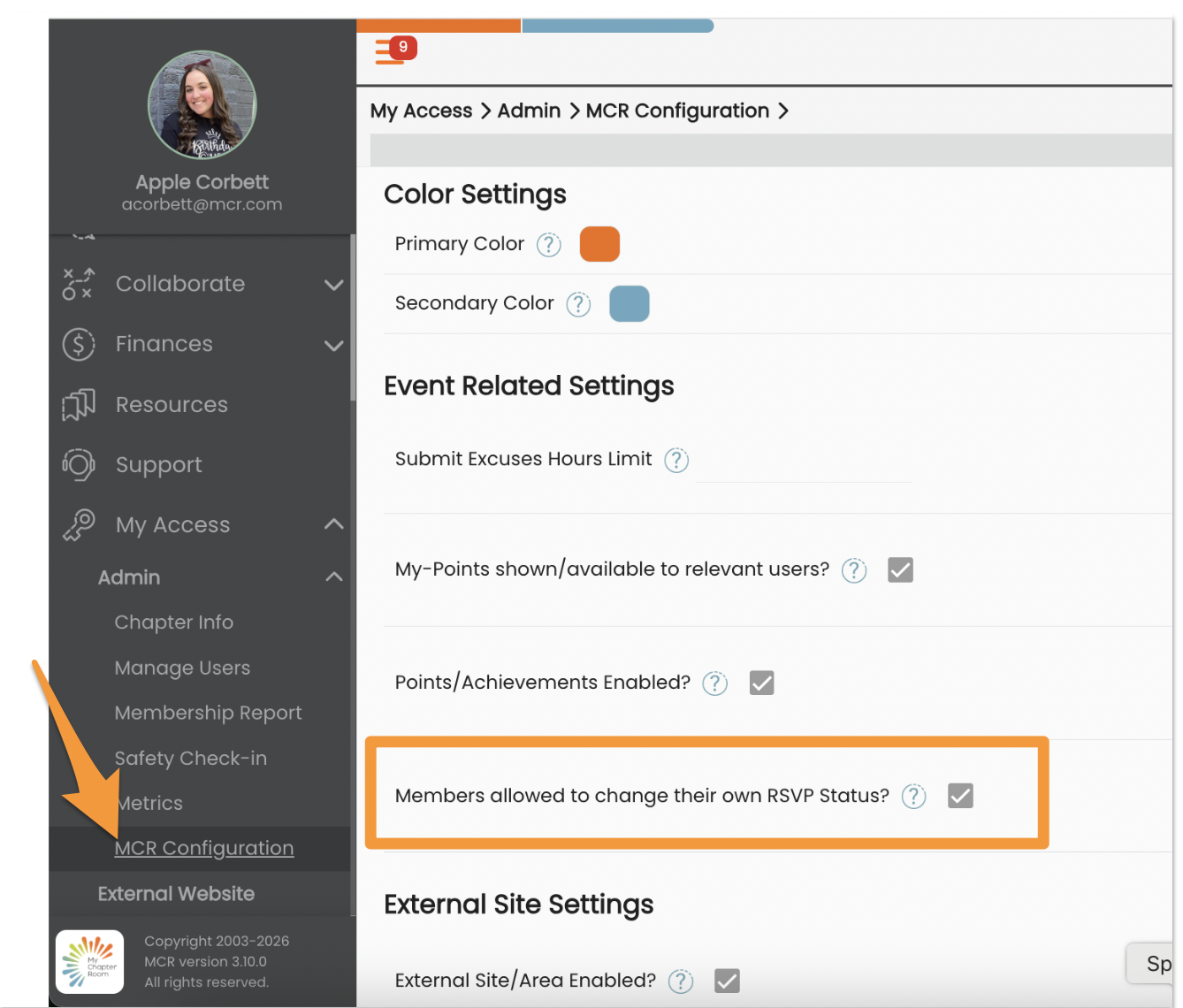
- My Access > MCR Configuration
- Click the pencil icon to enter edit mode
- Put a check in Members allowed to change their own RSVP Status?
- Click Update
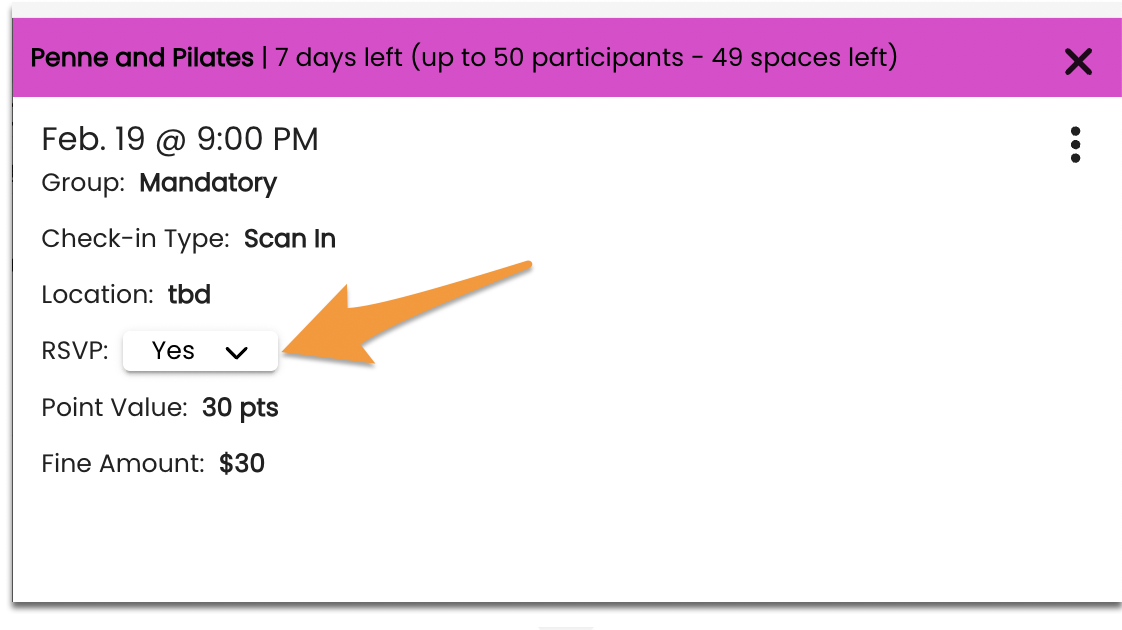
Once that setting is turned on, Members can change their own RSVP response until the RSVP deadline.
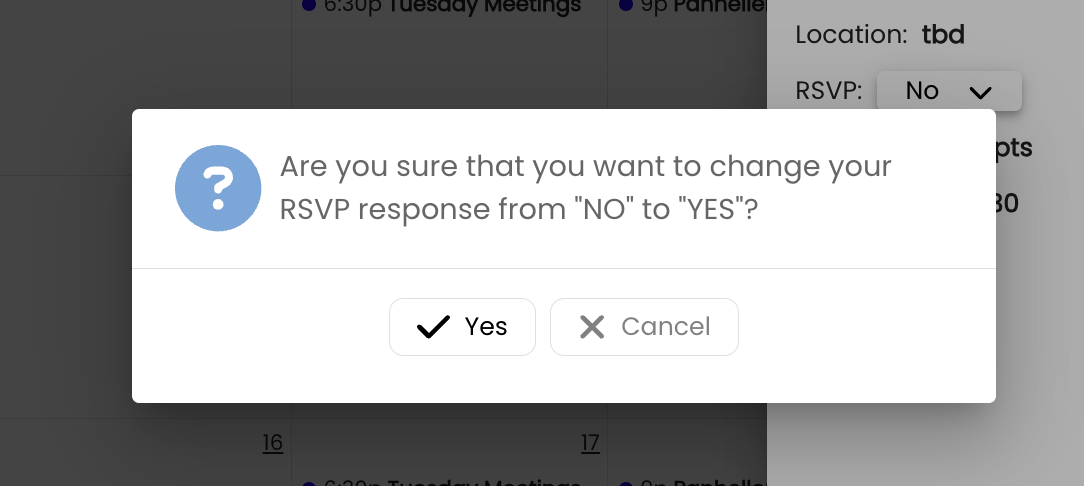
When you change your response, you will receive a verification pop up
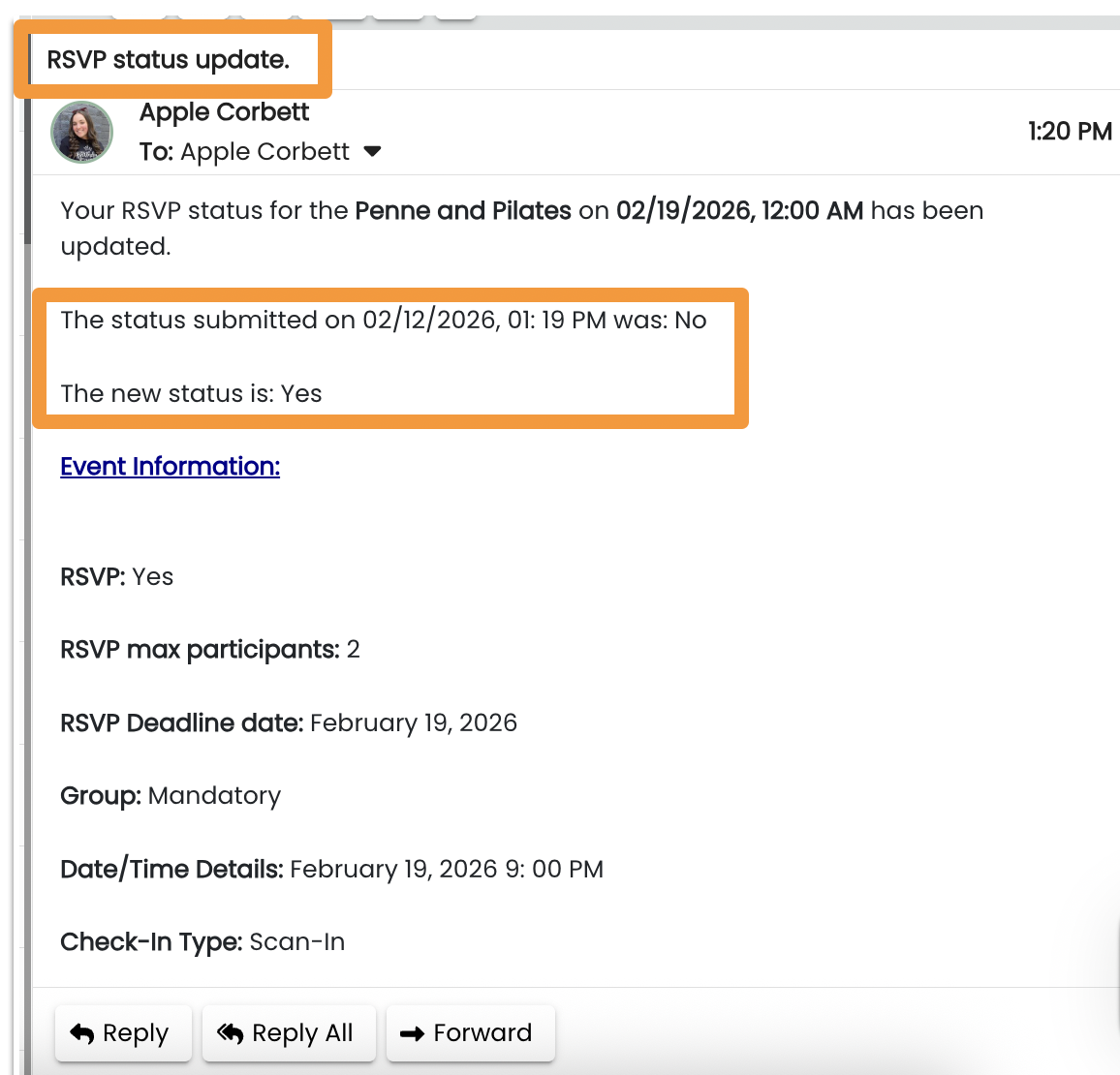
And an email
Notes:
- The Member will not be able to edit their status once the RSVP deadline has passed.
- If a Member changes their own rsvp status after their initial submission, they will get an email letting them know the change.
- If during the time, they change their status and update, and another person reserves a spot, the Member will be given a warning.