
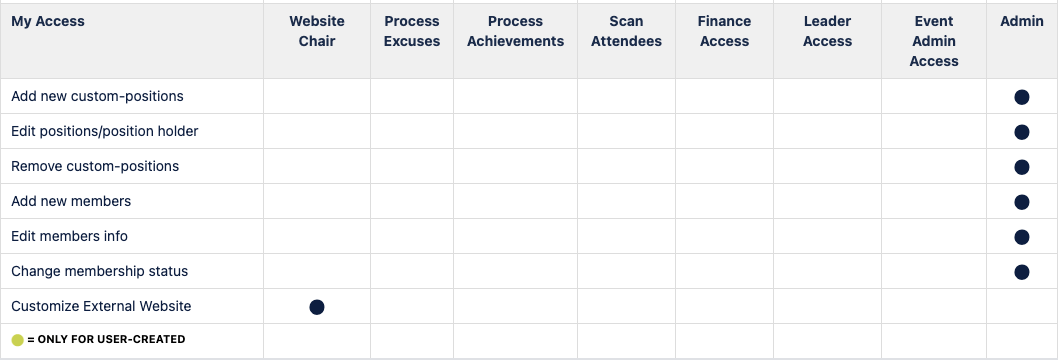
There are times you will want to give members of your chapter different access rights for them to properly do their job. Here is what you would do.
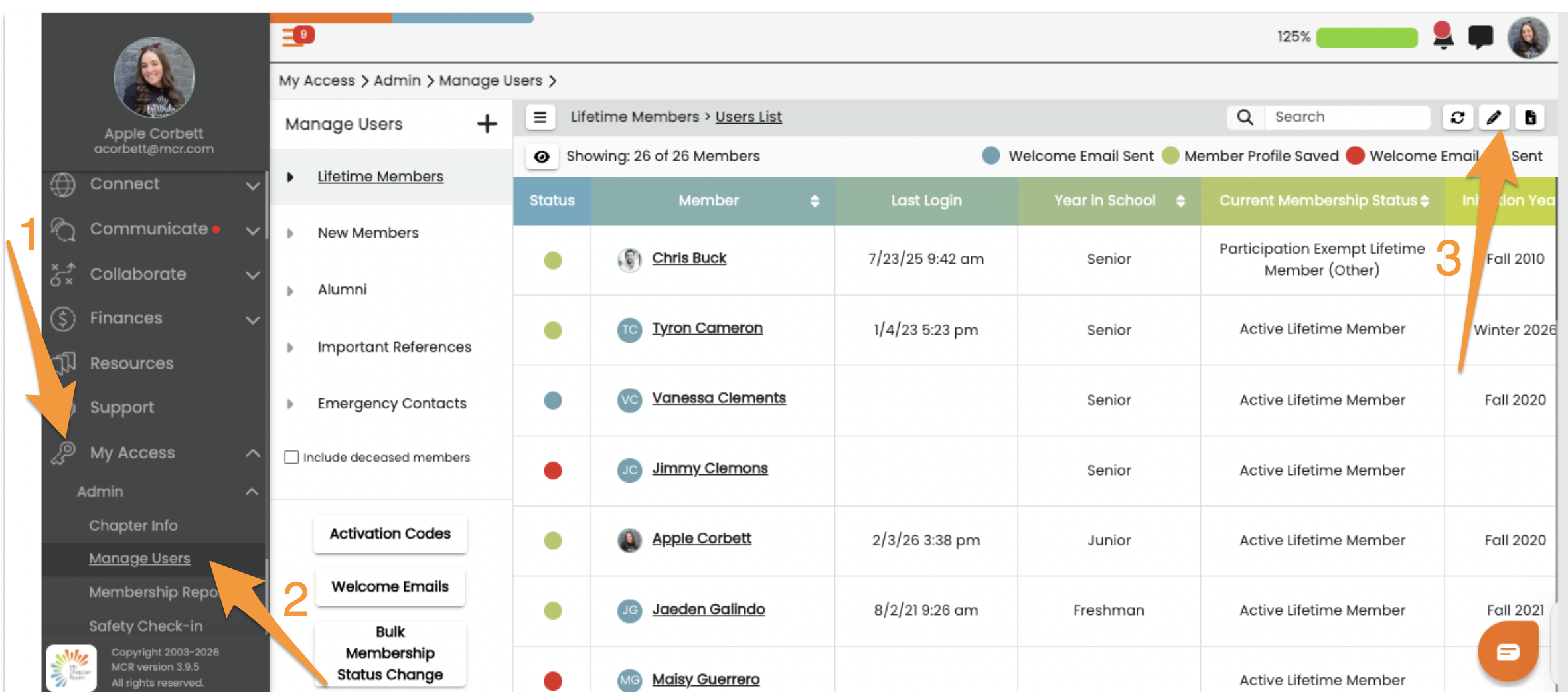
- My Access (key icon)
- Manage Users.
- Pencil icon to edit
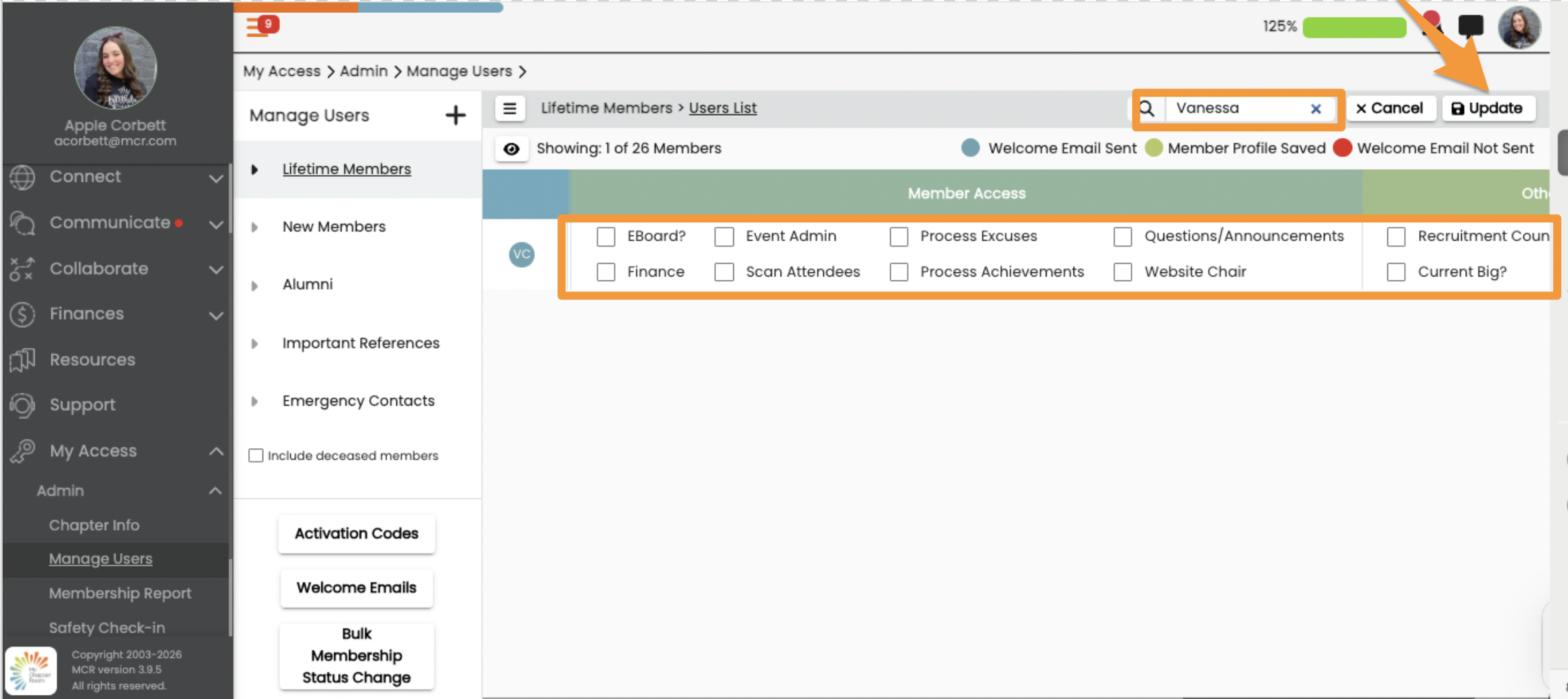
- Once in edit mode, type the Member's name in the search bar you want to give access to.
- Scroll to the right to see the Member Access options
- Select the Access options you want the Member to have by clicking the box to the left of each option.
- Click Update
Note: If you check off "EBoard" the system will automatically give the user "Scan Attendees" and "Questions/Answers." However, checking "EBoard" does not mean that they will show up as an EBoard Member on your Chapter Info page, it is simply giving this person the access as described in the chart at the top of this page.