
The Safety Check-in feature is a communication tool in the event of an emergency where you need to quickly determine the safety of all your Members.
While our hope is that your chapter never needs to use this feature of MCR- it is CRITICAL Chapter leaders know how and when to send a Safety Check-in and that Members know the importance of responding in a timely manner to the Safety Check-in alert.
The Safety Check-in can be started from the mobile app or the website.
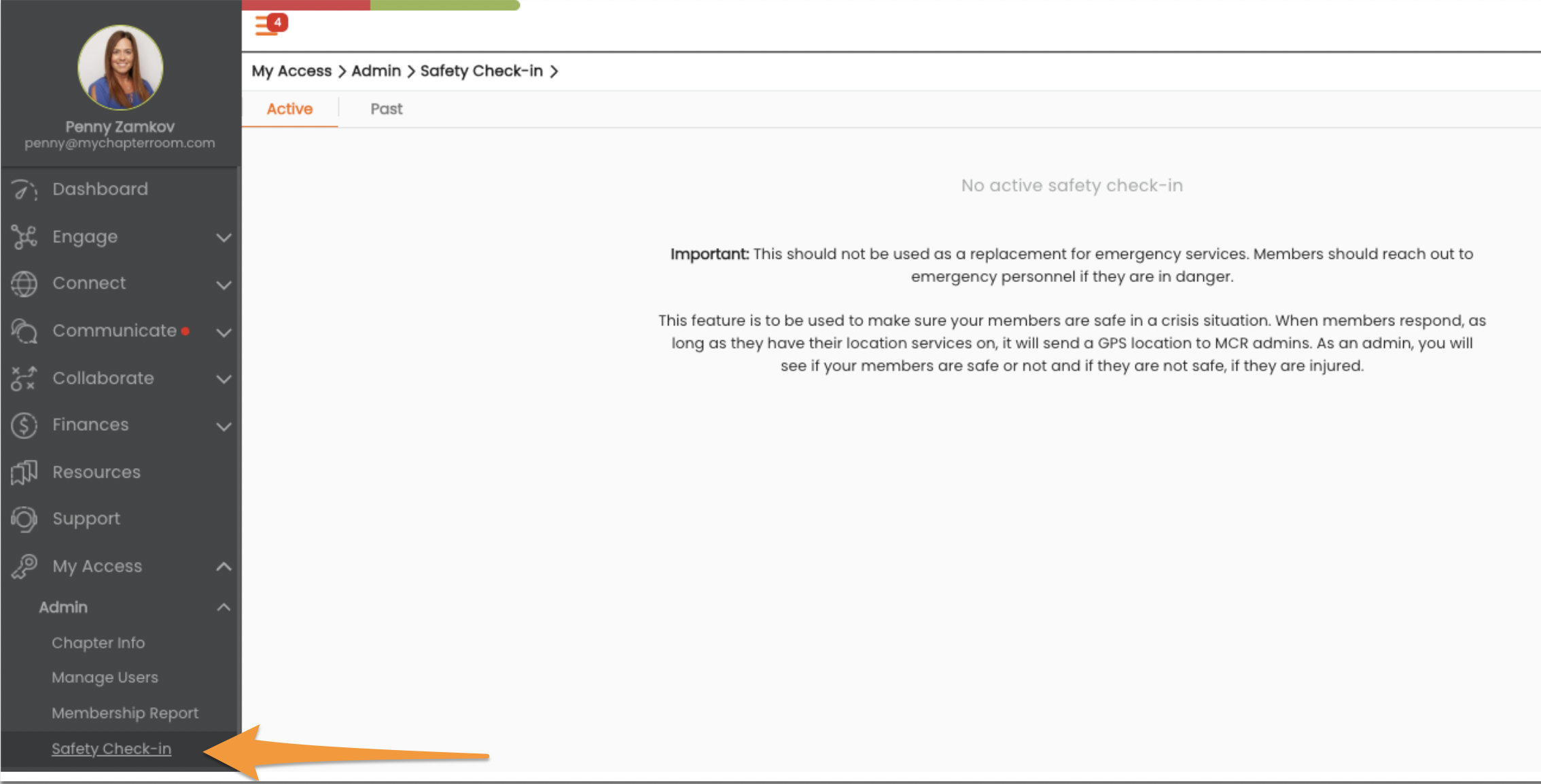
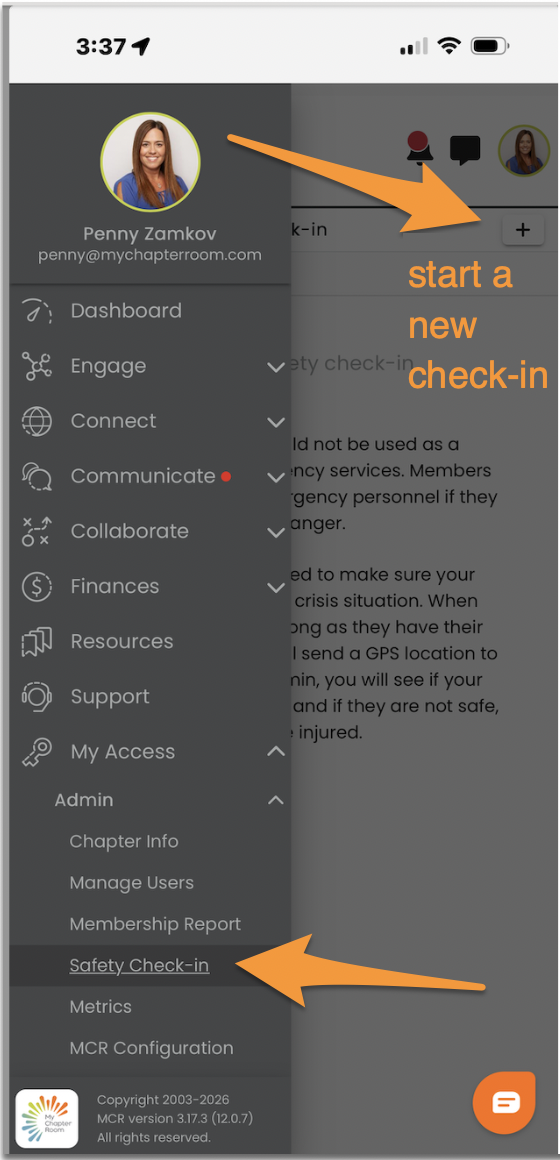
Since most of the time it will be initiated from the Mobil app, we will follow that flow below.
When you click on "Safety Check-in" you click the + sign at the top right to create a new check-in. you will be brought to a screen where you can provide details (if you wish) and then send the Safety check-in to all of your active Members.
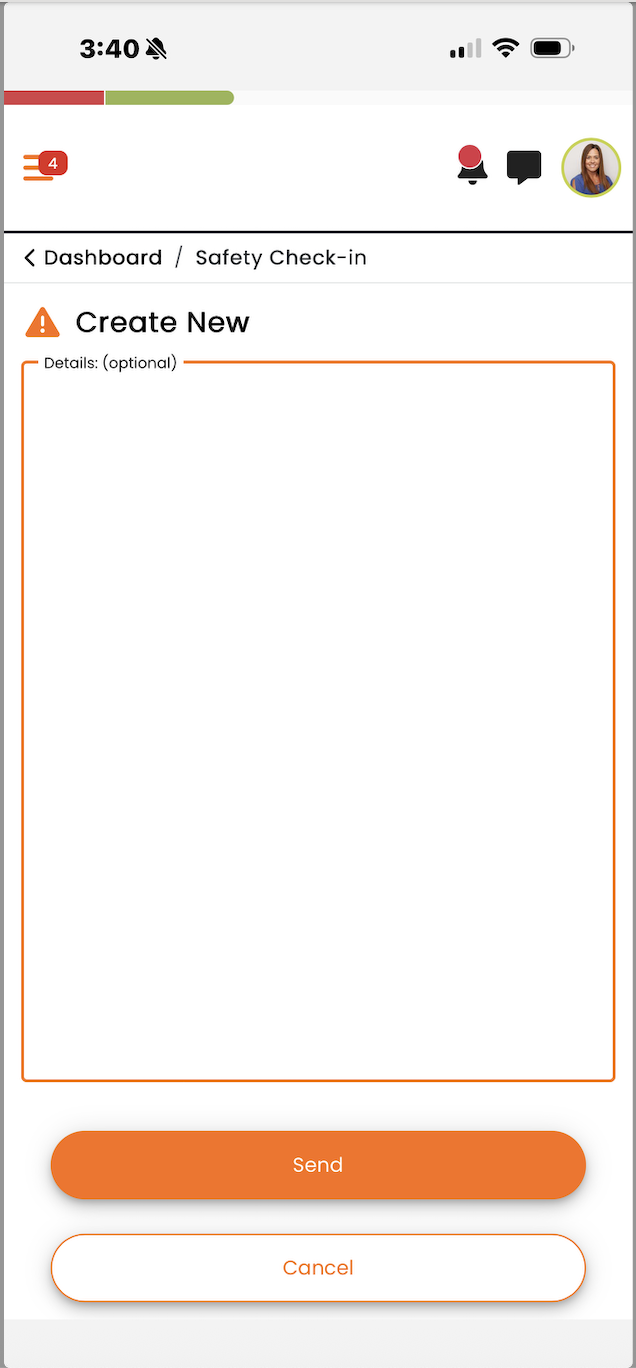
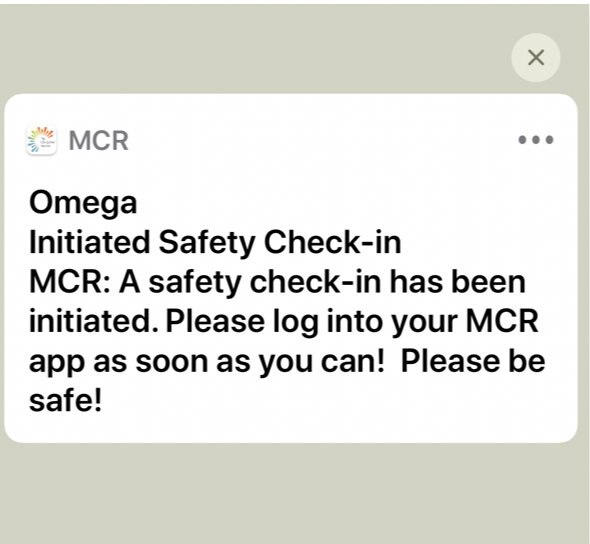
When you click Send, the Safety Check-in will be sent to all of your Members, and they will not be able to ignore the message until they respond. In addition, they will receive a text message every 5 minutes until they respond.
If a Member marks themselves "not safe" they will then be asked if they are injured or not.
All responses will be listed for the designated admins to see from both the app and the website. There will be an indication if a Member is "Safe" or "Not Safe" if they indicated they are injured, that will be noted with an exclamation point.
Regardless of safety status, the Member's location will also be shared as long as the member allows for location services on.
Mobile app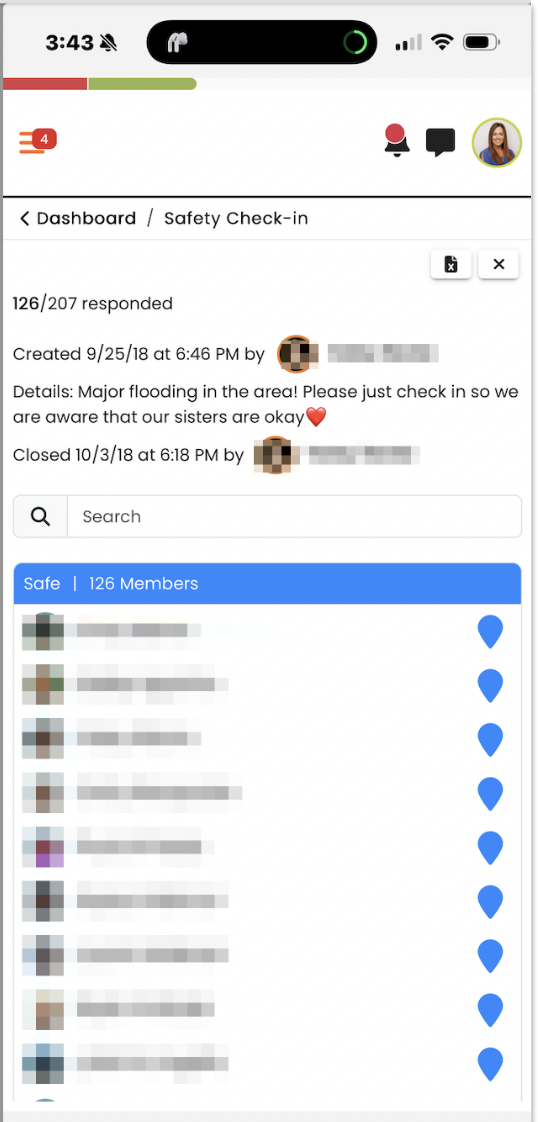 | Website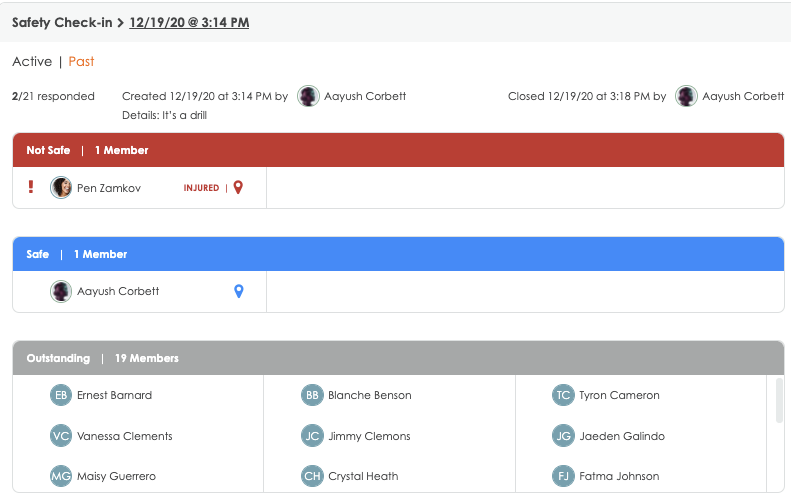 |
Clicking the map pin icon will give you exact coordinates that can be shared with emergency personnel, if need be.
You should always Archive/Stop your check-in once the emergency or drill is over so that members who have not responded do not keep getting the text message.
If you need to visit past safety check-ins.